macOS App Development Services
Powerful native macOS applications built with Swift and SwiftUI — designed to integrate seamlessly with the Apple ecosystem.
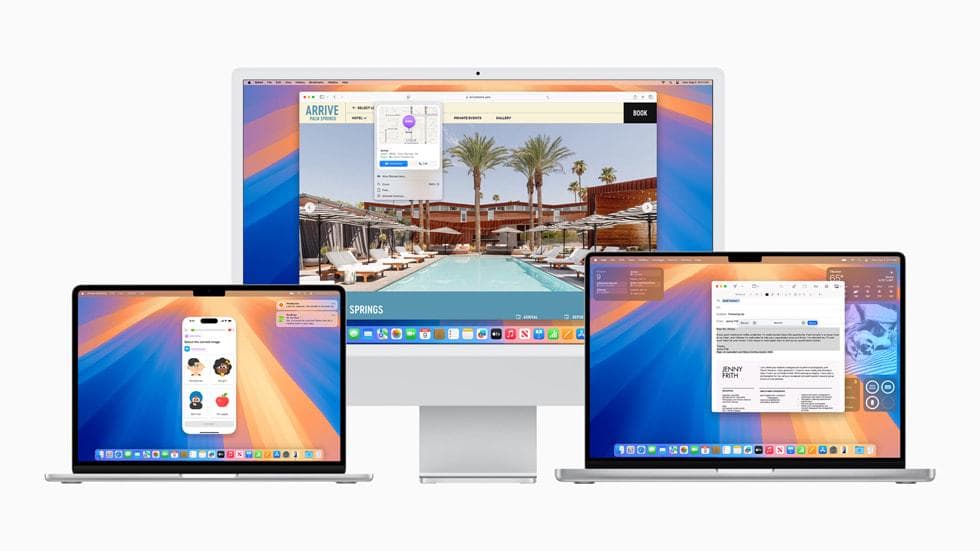
Native macOS Development Tailored to Your Needs
Mac users expect polished, native experiences that feel right at home on their desktop. We build macOS applications that follow Apple's Human Interface Guidelines, leverage system-level frameworks, and deliver the performance and reliability that Mac users demand.
Our team specializes in Swift and SwiftUI development, with deep experience across Apple's ecosystem. Whether you need a utility app, a creative professional tool, a data-heavy dashboard, or a companion app for your iOS product, we craft Mac applications that take full advantage of the platform — including menu bar extras, multiple windows, drag-and-drop, keyboard shortcuts, and Touch Bar integration.
We also handle the complete lifecycle: from concept and design through development, App Store notarization and sandbox compliance, to ongoing updates and maintenance. All our apps are built as universal binaries supporting both Apple Silicon and Intel Macs.
Key Features of Our macOS App Development Service
What We Can Build for You
Mac applications come in many forms. Here are the most common types of projects we deliver:
Productivity & Utility Apps
Menu bar utilities, automation tools, file managers, clipboard managers, and system enhancement apps that streamline daily workflows.
Creative & Media Applications
Photo editors, video converters, audio production tools, design utilities, and content creation software with native Mac performance.
Data & Analytics Dashboards
Desktop applications for visualizing, analyzing, and reporting data with real-time updates, charts, and export capabilities.
iOS Companion Apps
Mac apps that extend the functionality of your iPhone or iPad applications, with Handoff, Universal Clipboard, and iCloud sync.
Business & Enterprise Tools
Secure desktop solutions for internal operations, CRM clients, project management tools, and industry-specific Mac software.
Educational & Reference Apps
Interactive learning applications, documentation tools, language tutors, and reference libraries optimized for the Mac platform.
Our macOS App Development Process
We follow a structured process to deliver polished, production-ready Mac applications.
1. Discovery & Planning
We define the app's purpose, target users, feature set, and technical requirements. We create a detailed project roadmap with milestones.
2. Design & Prototyping
Our designers create wireframes and high-fidelity mockups following Apple's Human Interface Guidelines. We prototype interactions and validate the UX.
3. Development
We build your app using Swift and SwiftUI with iterative sprints. Each feature is tested and reviewed before moving to the next.
4. Testing & Sandbox Compliance
Rigorous testing across macOS versions and hardware. We ensure sandbox compliance, code signing, and notarization readiness.
5. App Store Submission
We prepare all metadata, screenshots, and privacy policies. We handle the full Mac App Store submission and review process.
6. Launch & Maintenance
Post-launch monitoring, bug fixes, macOS version compatibility updates, and feature enhancements as your app grows.
Technologies We Use
We use Apple's latest frameworks and tools to build Mac apps that are performant, secure, and future-proof — always optimized for the latest macOS releases and hardware.
Frequently Asked Questions
How long does it take to build a macOS app?
What technologies do you use for macOS development?
Can you convert my iPad app to macOS using Catalyst?
Do you handle Mac App Store submission?
Can you integrate my Mac app with iCloud?
Do you support Apple Silicon and Intel Macs?
Project Details
Starting from
$3,500
Delivery Time
3-10 weeks
Need something custom?
We can tailor our services to meet your specific requirements. Contact us to discuss your unique project needs.